
How to get a QLL card and get access to books!
Follow the step by step guide below to see how to sign up and become a member before accessing the library in Libby.
Follow the step by step guide below to see how to sign up and become a member before accessing the library in Libby.
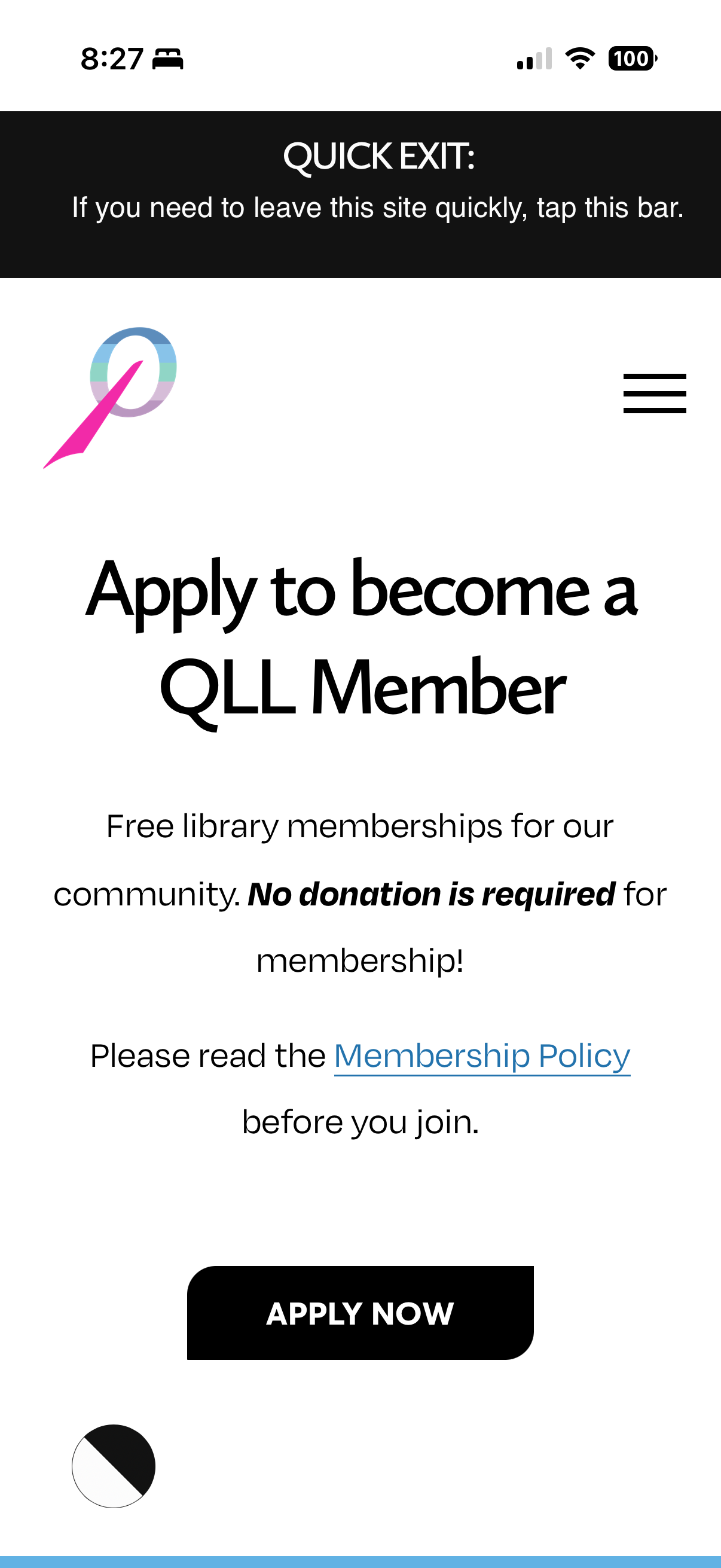
Go to our website and under the “Memberships” tab, select the “Become a Member” page and hit “Apply Now.”
ID: Screenshot of the Queer Liberation Library website with text reading “Apply to become a QLL Member” and “Free memberships for our community. No donation is required for membership!” and “Please read the Membership Policy” before you join.” above an “Apply Now” button.
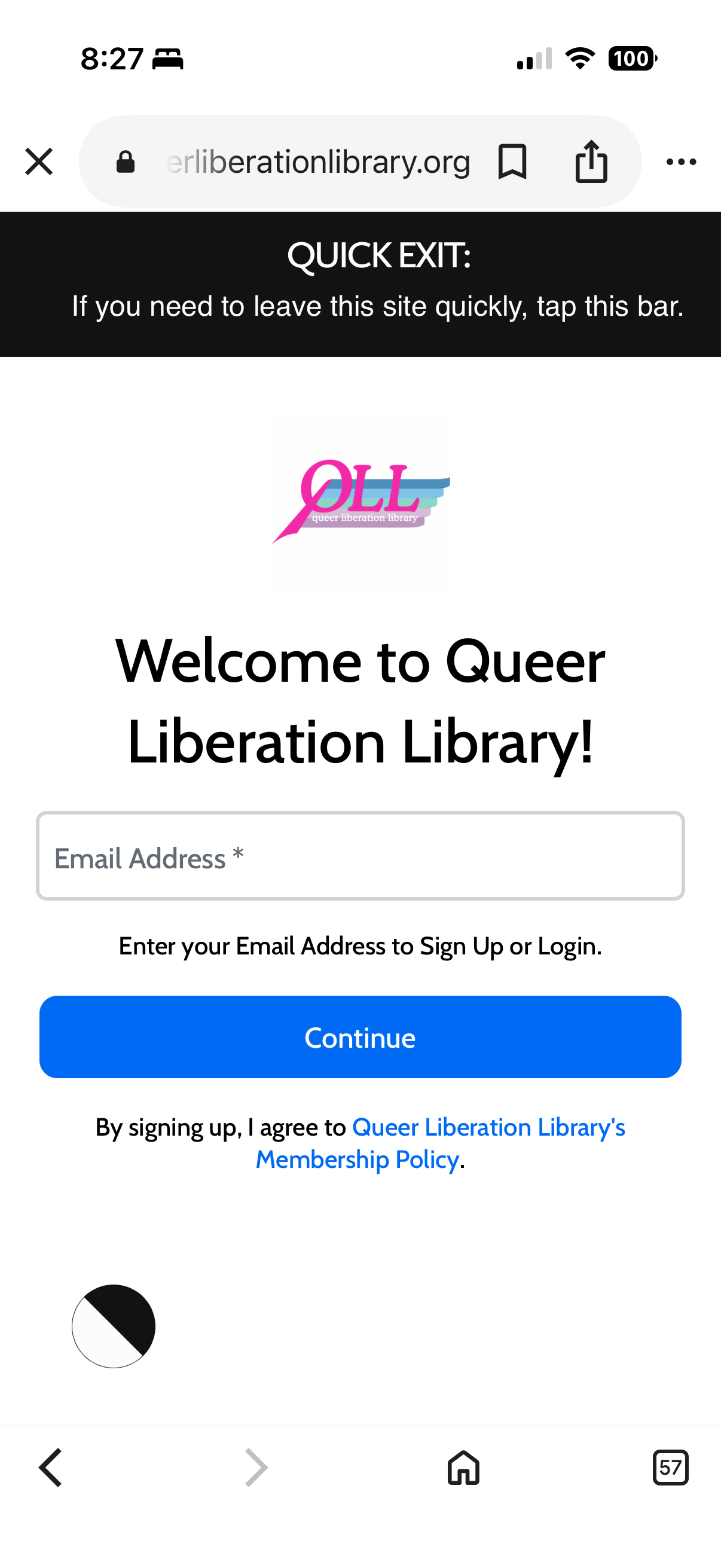
Enter the email address you want to use for your membership and hit “Continue.”
ID: Screenshot of Queer Liberation Library website with QLL logo and text “Welcome to Queer Liberation Library!” above a text box to enter “Email Address*” with text reading, “Enter your Email Address to Sign Up or Login.” above a blue button labeled “Continue” and above text that reads, “By signing up, I agree to Queer Liberation Library’s Membership Policy.”
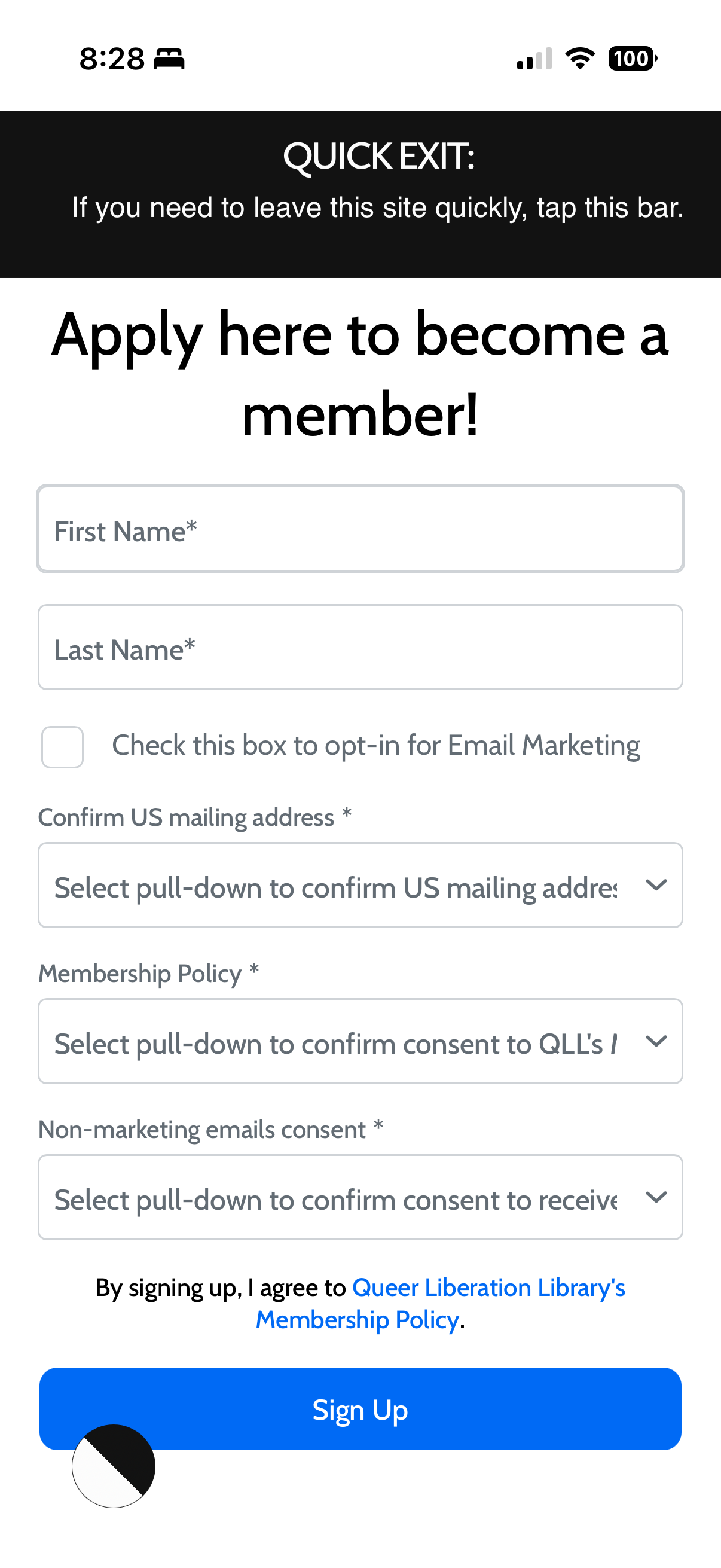
Fill out our application form and hit “Sign Up.”
ID: Screenshot of Queer Liberation Library’s website with text reading, “Apply here to become a member!” and a stack of form entries reading “ First Name*”, “Last Name*”, an empty box reading, “Check this box to opt-in for Email Marketing” and “Confirm US mailing address*” with a pull-down reading “Select pull-down to confirm US mailing address” and “Membership Policy*” with a pull-down reading, “Select pull-down to confirm consent to QLL’s” and “Non-marketing emails consent*” with a pull-down reading, “Select pull-down to confirm consent to receive” above a text area that reads, “By signing up, I agree to Queer Liberation Library’s Membership Policy.” above a blue “Sign Up” button.
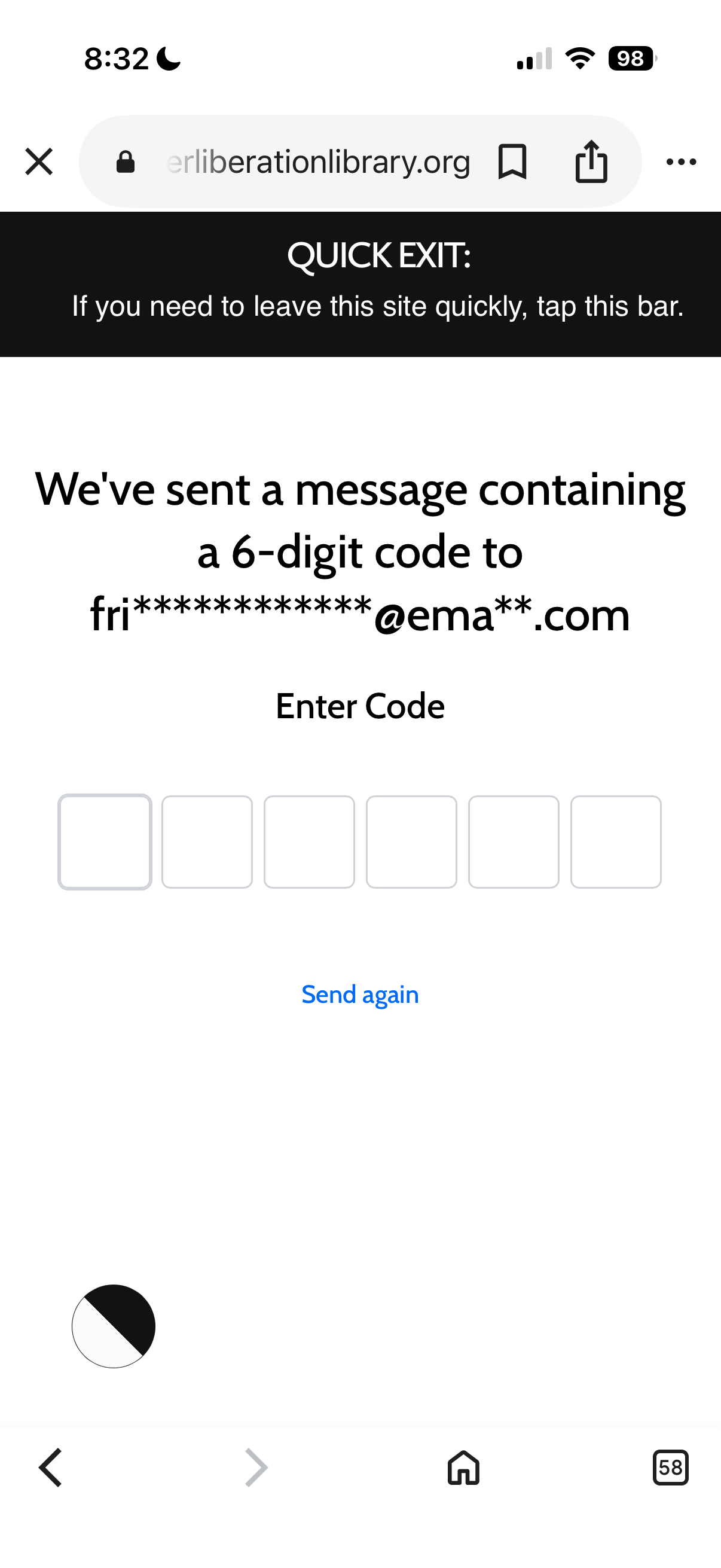
You will get a 6 digit code sent to your inbox, enter that code in the same window you put your email address in.
ID: Screenshot of Queer Liberation Library website with text that reads, “ We've sent a message containing a 6-digit code to “fr**************@ema**.com” and “Enter Code” with 6 empty boxes above text that reads “Send again” in blue
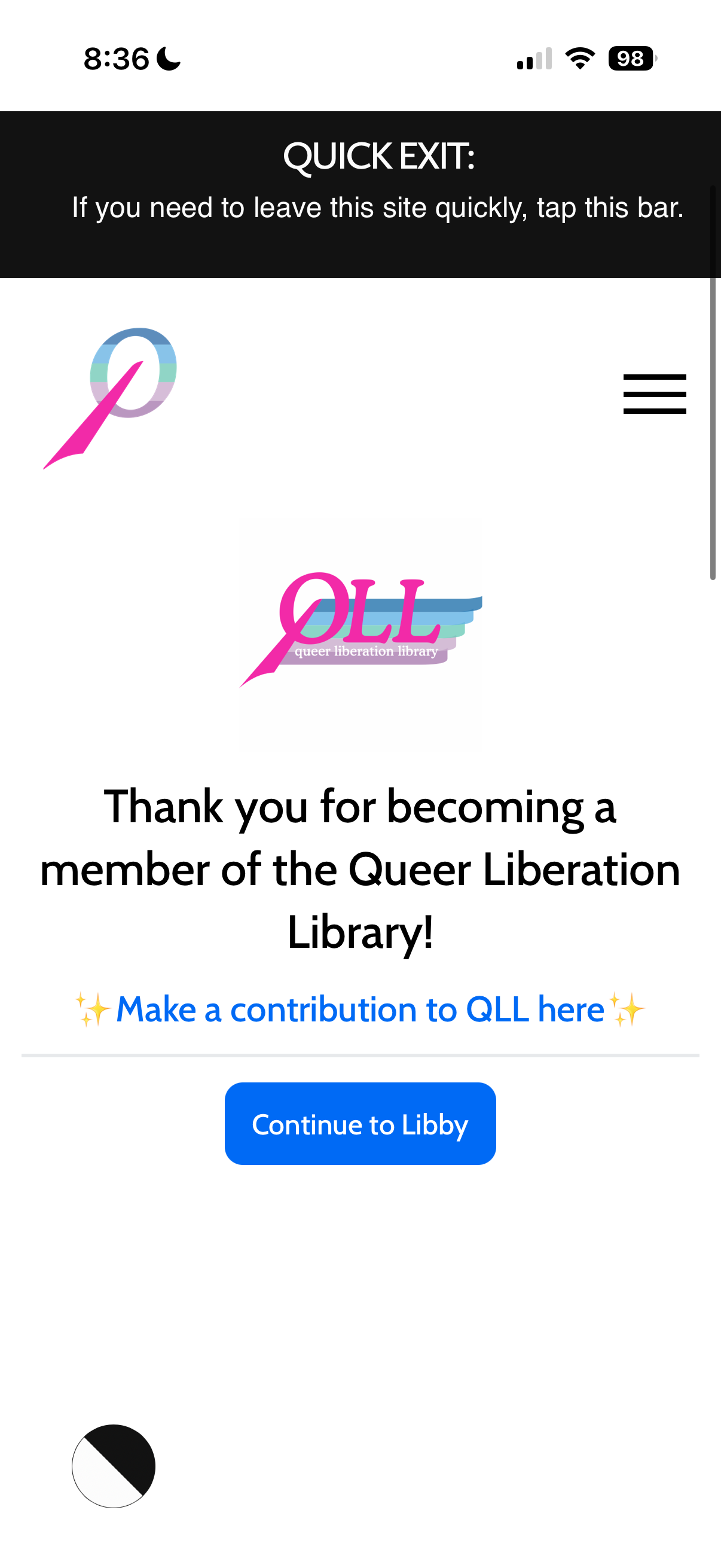
Congrats! You’re a member. Now hit “Continue to Libby” to authenticate and access the library.
ID: Screenshot of Queer Liberation Library’s website with QLL logo and text “Thank you for becoming a member of the Queer Liberation Library!” and “Make a contribution to QLL here” in blue above a button in blue that reads, “Continue to Libby”
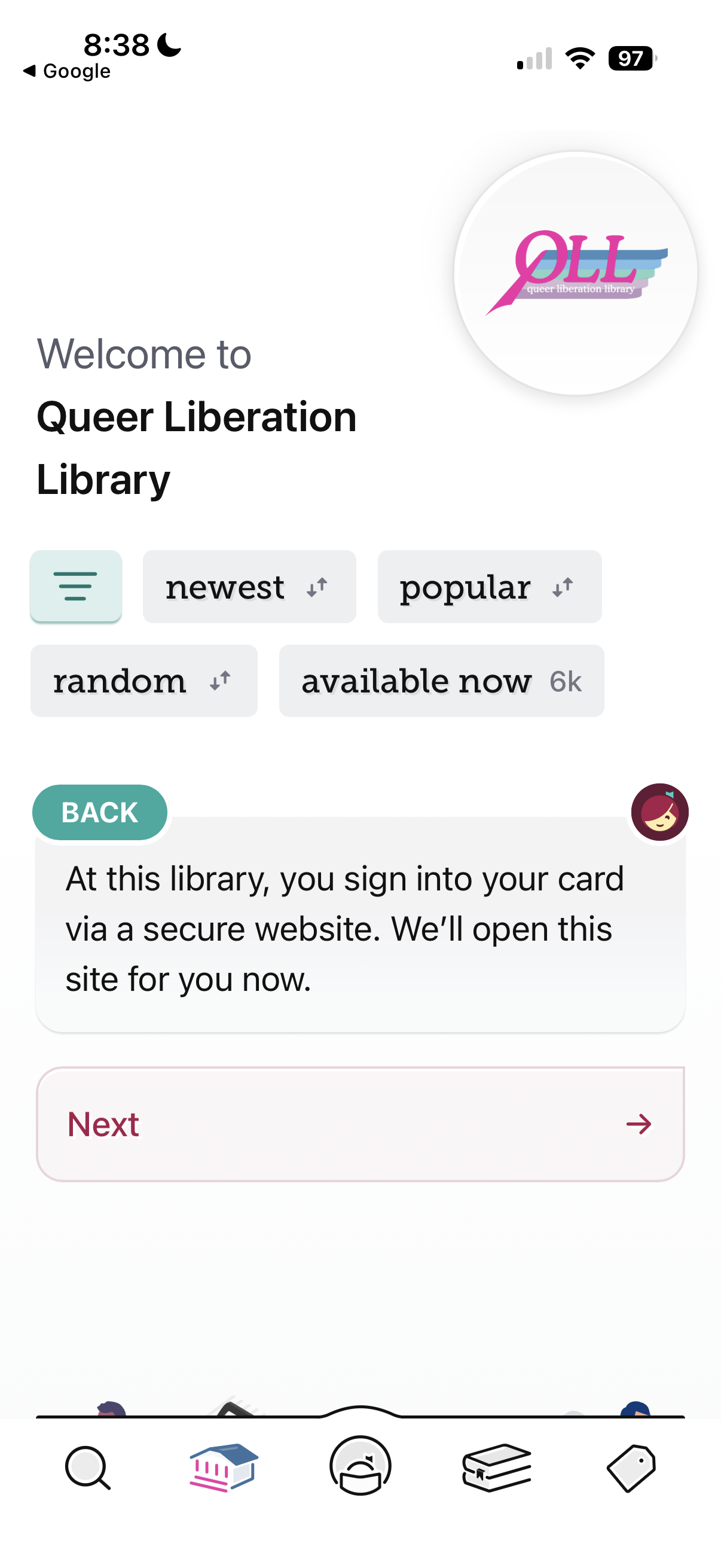
Libby will ask you to confirm you want to add your QLL card and sign in. Hit “Next.”
ID: Screenshot of Libby app with QLL logo and text reading, “Welcome to Queer Liberation Library” on top of a message that reads, “Back: At this library, you sign into your card via a secure website. We’ll open this site for you now.” On top of a button that says, “Next” with an arrow pointing to the right.
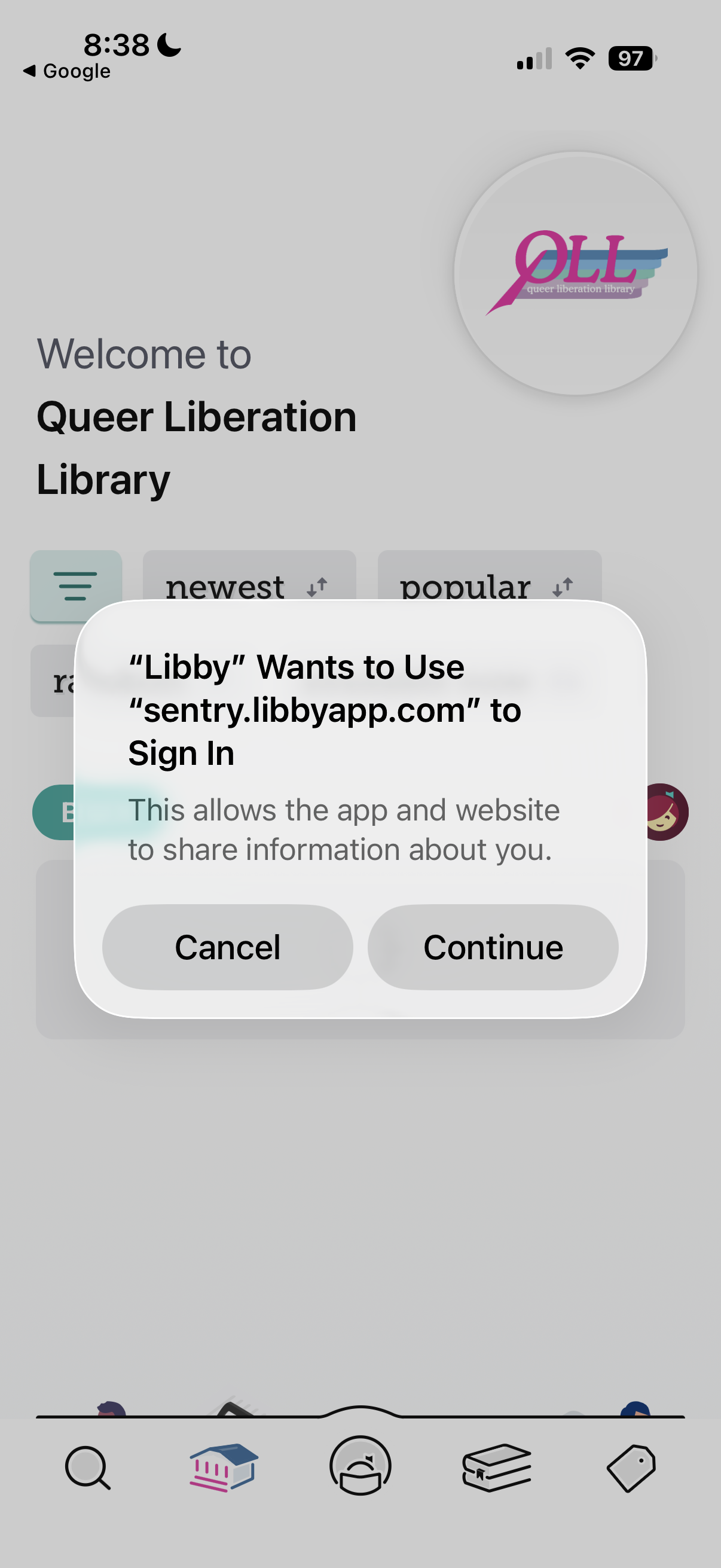
Accept the pop up notice to sign in by hitting “Continue.”
ID: Screenshot of Libby app with QLL logo and a pop up that says: “‘Libby’ Wants to Use ‘sentry.libbyapp.com’ to Sign in. This allows the app and website to share information about you.” above buttons that say, “Cancel” and “Continue”
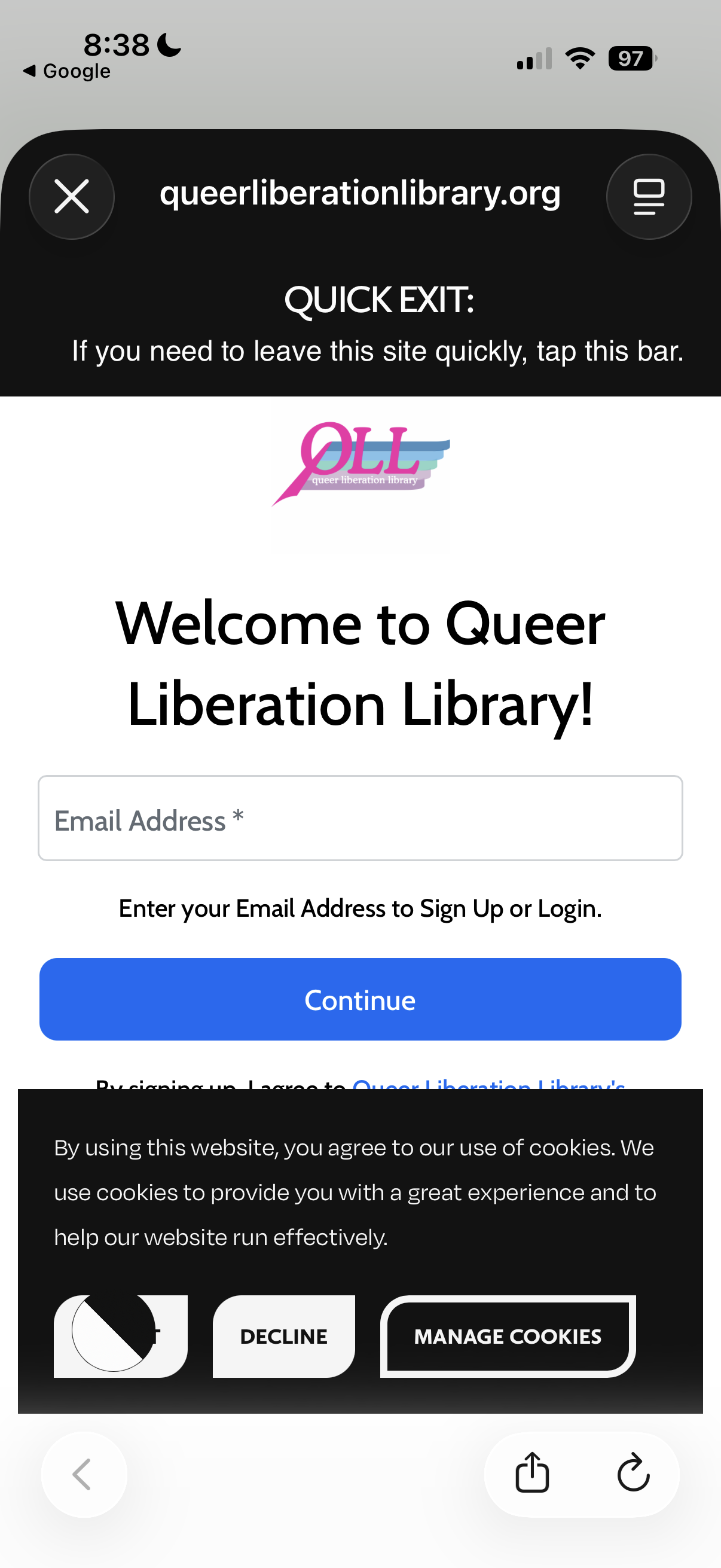
Enter the email address you use to sign up and hit continue. You will now get another code to your inbox to sign into the library and add your card on your Libby app.
ID: Screenshot of Queer Liberation Library website with QLL logo and text reading: “Welcome to Queer Liberation Library!” with a text box to enter “Email Address*” and text reading, “Enter your Email Address to Sign Up of Login.” above blue button that reads, “Continue” and text underneath reading, “By signing up, I agree to Queer Liberation Library’s Membership Policy.” below a cookie notice.
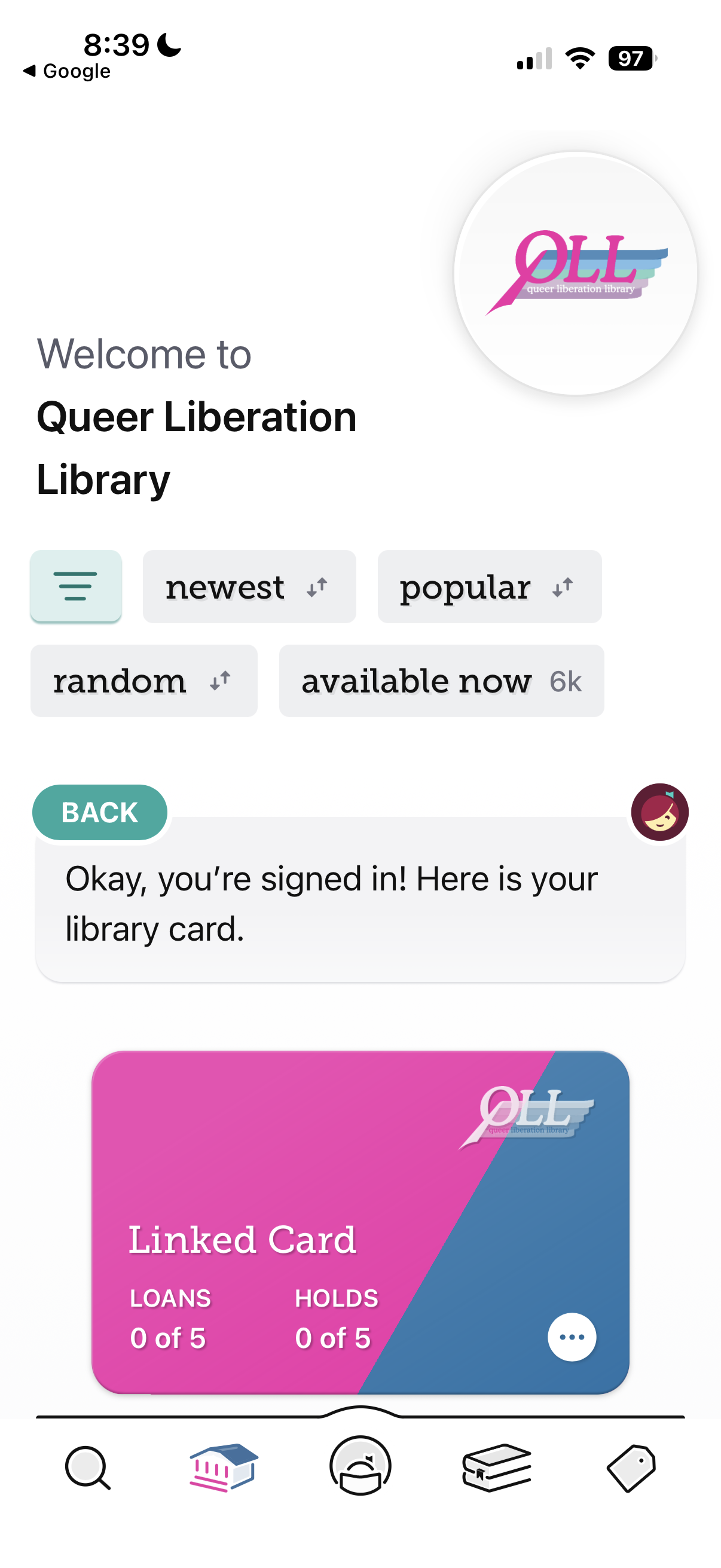
That’s it! You’ve now got a QLL card registered with your Libby app. Happy Queer Reading!
ID: Screenshot of Libby app with QLL logo and text reading, “Welcome to Queer Liberation Library” and “Okay, you’re signed in! Here is your library card.” Above a pink and blue QLL library card that says, “Linked Card” and “Loans 0 of 5” and “Holds 0 of 5”